Standout and close Clients!

.png?updatedAt=1721224205728)
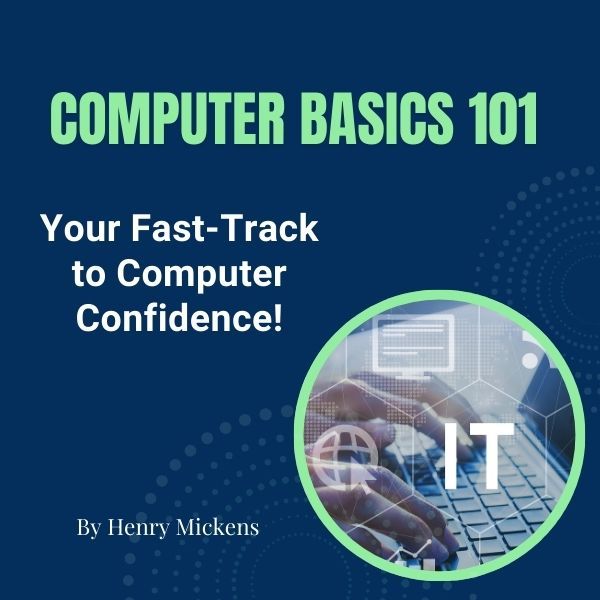
Computer Basics 101: Simplify Your Tech Journey
This beginner-friendly course teaches essential computer skills with simple, clear instructions and hands-on practice. From navigating your computer to managing files and browsing the internet, you’ll gain the confidence to tackle everyday tasks effortlessly.
Master the Essentials of Computer Basics
Learn how to power up and shut down properly, navigate system settings, and understand key components like files, folders, and system security. Gain the confidence to manage your computer efficiently and keep it running smoothly.
Organize Files and Stay in Control
Understand how to create, save, and organize files into folders, making your computer work for you. Discover maintenance tips to optimize storage and keep your data accessible and secure.
Confidently Navigate the Internet
Learn to open and use web browsers, perform efficient searches, and explore online safely. Build the foundational skills to connect with the digital world and find information easily.
By the end of Computer Basics 101, you’ll feel confident navigating your computer, managing files, and exploring the internet with ease. Say goodbye to frustration and hello to productivity.
Ready to simplify your tech journey? Let’s get started today!
In Module 1: Identify Your Computer, you’ll start with simple exercises to help you get to know your computer’s settings, secure it, and practice saving and finding files with ease. Modules 2–4 will take you further, from navigating system settings to organizing files and exploring the web, all in easy-to-follow steps that make learning comfortable and fun. By the end, you'll feel ready to use your computer daily with confidence. Start your journey to tech-savvy today! Want a step by step guide? Go here to get yours- Only $7 Click HERE... https://workbook.itessentialelements.com/computer-101-workbook
You’ll gain the skills to personalize and confidently manage your computer. This hands-on module walks you through essential tasks like adjusting display settings, navigating the Windows menu, and ensuring your system is up-to-date. By learning these simple steps, you'll take control of your device and make it work for you, comfortably and securely
This module will guide you through creating and organizing folders so you can finally keep track of your documents. With easy exercises, you'll learn how to create folders for specific projects, move documents, and name files clearly for easy access. This module makes file management simple, saving you time and reducing stress—say goodbye to lost files and cluttered desktops!
You'll take the first steps to explore the online world with confidence! This beginner-friendly module shows you how to open a web browser, navigate to familiar websites, and search for information like today's weather. With helpful tips on bookmarking and search techniques, you'll quickly learn to find what you need online—no stress, just simple, easy-to-follow steps!
Patience and fun!

Standout and close Clients!


Already a member? login to access
This course includes
.png?updatedAt=1721224061418)





The Story Behind the Story is an online course by Amy Thurman on The Great Discovery, rated Not yet rated with 0 enrolle...

Scheduling an introduction call is the process of booking a first meeting that confirms availability, reduces email back...

Real struggle strength motivation is the practice of building resilience through coping skills, support systems, and ste...

Empowering women to their elevated selves means helping women strengthen self-worth, emotional regulation, boundaries, a...

Physical accessibility is the design of buildings, routes, bathrooms, parking, and services so people with disabilities...

Mental scream drill exercise is a brief, silent emotional-release practice that asks you to imagine screaming internally...
Choose the free account that best fits how you want to use TGD.
Choose the free account that best fits how you want to use TGD.